FocusZone - Vision OS Productivity App with AI-Powered Distraction Detection
- Published on
Introduction
FocusZone is an innovative productivity app designed exclusively for Apple Vision Pro. Leveraging spatial computing technology, it creates an immersive focus environment while using AI to detect distractions and help you stay on task.
I created this project with Carol Hsiao, who designed the elegant spatial UI/UX interface. This is our exploration into the future of productivity in spatial computing.
Demo & Source Code
FocusZone is available for Vision OS:
- Source Code: github.com/eason-dev/FocusZone
- Platform: Apple Vision Pro (Vision OS 2.0+)
Why We Built FocusZone
When Apple Vision Pro was announced, we immediately saw its potential for focused work:
- Immersive Environments: Block out physical distractions
- Spatial Computing: Position your work naturally in 3D space
- Rich Sensors: Cameras, microphones, eye tracking for context awareness
But traditional productivity apps weren't designed for spatial computing. We wanted to build something that:
- Leverages Vision Pro's unique capabilities
- Detects distractions proactively using AI
- Maintains focus without being intrusive
- Respects natural work patterns
That's why we built FocusZone - productivity reimagined for spatial computing.
Core Features
Pomodoro Timer
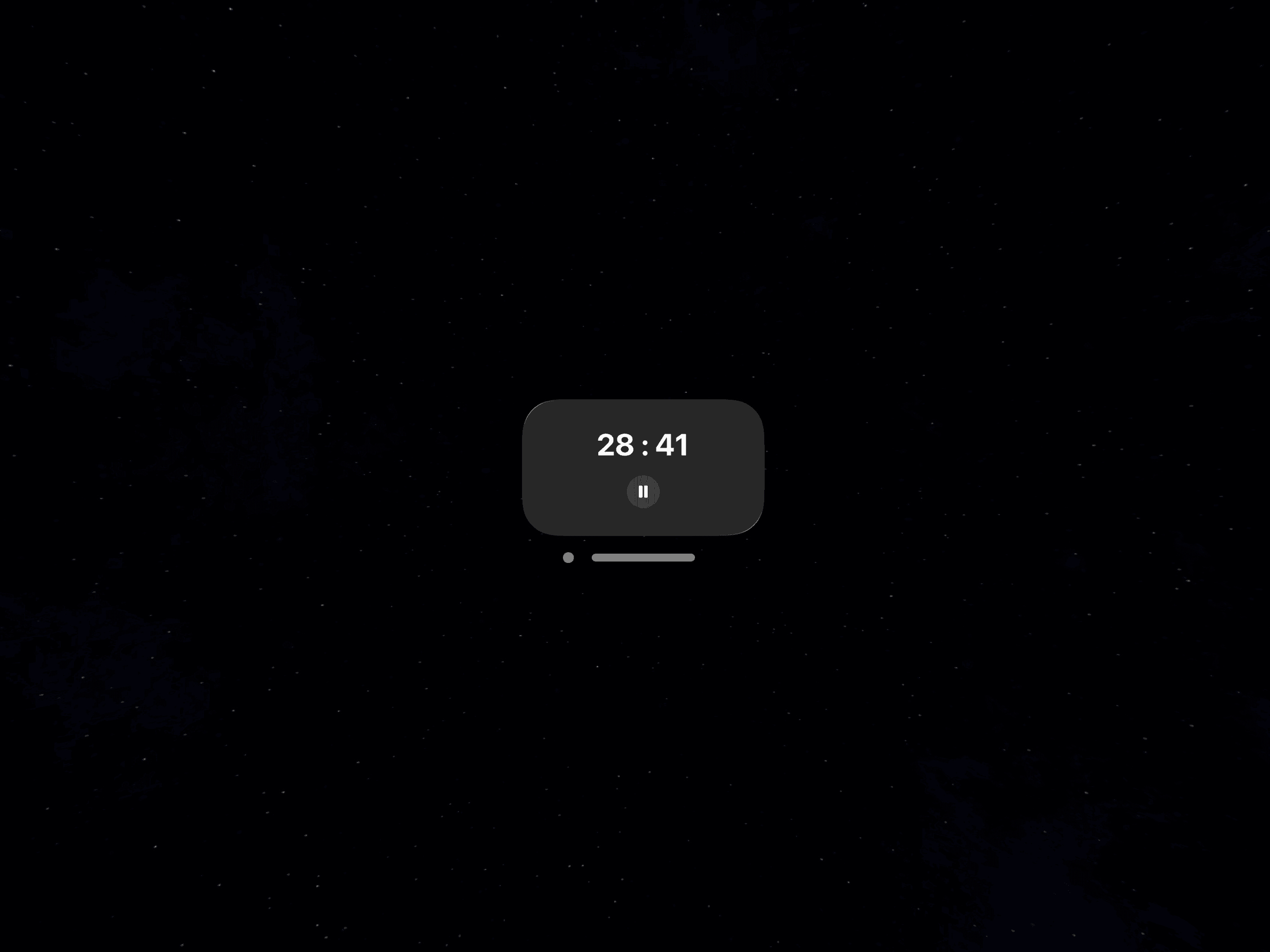
Classic time management technique implemented in a spatial environment. See your timer floating in your immersive space, always visible but never intrusive.
Smart Distraction Detection
AI detects three types of distractions:
Phone Appearance: When your iPhone enters your field of view during a focus session, FocusZone gently reminds you to stay on task.
Loud Sound: Sudden noise spikes that break concentration trigger awareness alerts.
Head Movement: Excessive head turning or looking around signals wandering attention.
Customizable Immersive Spaces
Multiple environment options to create your ideal work atmosphere:
- Minimalist void for maximum focus
- Natural environments (forest, beach, mountains)
- Abstract patterns that aid concentration
- Custom spaces you create
Real-time Alerts
Gentle reminders when distractions are detected. Not punishing - just bringing awareness back to your work.
Analytics Dashboard
Track your focus time and distraction patterns over time. Understand what breaks your concentration and optimize your environment.
The Philosophy Behind FocusZone
FocusZone is built on several key insights about focus and attention:
Awareness Over Punishment
We don't shame you for getting distracted. We gently bring awareness back to your intention to focus.
Context-Aware Intelligence
The same behavior might be distraction in one context and necessary in another. FocusZone learns your patterns.
Spatial Computing Advantage
Vision Pro's sensors give us unprecedented context about your work environment. We use this responsibly.
Sustainable Focus
Long focus sessions aren't always better. FocusZone encourages regular breaks and sustainable work patterns.
How FocusZone Works
1. Choose Your Environment
Select an immersive space that helps you focus. Experiment to find what works best for your work type.
2. Set Your Focus Session
Use the Pomodoro timer (25 minutes work, 5 minutes break) or customize your own intervals.
3. AI Monitors Context
FocusZone's AI watches for distraction signals:
- Phone in field of view
- Loud environmental sounds
- Excessive head movement patterns
4. Gentle Reminders
If distraction is detected, you get a subtle reminder - a gentle glow, soft sound, or brief message.
5. Analytics & Improvement
After each session, see patterns in your focus and distractions. Adjust your environment and habits accordingly.
Technologies
FocusZone leverages cutting-edge Vision OS capabilities:
- Vision OS 2: Apple's spatial computing platform
- SwiftUI: Modern declarative UI framework
- RealityKit: 3D rendering and physics
- ARKit: Spatial awareness and tracking
- Create ML: On-device machine learning
- Core ML: ML model execution
Technical Highlights
On-Device AI: All distraction detection runs locally on Vision Pro. Your work context never leaves your device.
Spatial Audio: 3D positional audio for timer alerts that don't break immersion.
Eye Tracking: Optional attention monitoring to understand focus depth (privacy-first, data stays local).
Hand Gestures: Natural interactions using Vision Pro's hand tracking. No controllers needed.
Efficient Performance: Optimized to run in the background without draining battery or affecting other apps.
The Making of FocusZone
Design Process
Carol designed the spatial UI with careful attention to:
Non-Intrusive Presence: Timer and controls visible when needed, transparent when not.
Spatial Ergonomics: Elements positioned at comfortable viewing angles for extended use.
Visual Hierarchy: Focus timer prominent, secondary controls accessible but not distracting.
Immersive Environments: Spaces that aid concentration without becoming boring or overstimulating.
Development Challenges
Building for Vision OS taught us a lot:
Spatial UI Paradigms: Traditional 2D UI patterns don't always work in 3D space.
Performance in Immersion: Maintaining smooth framerates while running AI models required optimization.
Privacy-First AI: All processing happens on-device. More challenging but essential for trust.
Natural Interactions: Hand gestures need to feel intuitive, not frustrating.
Testing: Limited access to Vision Pro hardware made iteration slower.
Privacy & Ethics
FocusZone takes privacy seriously:
- On-Device Processing: All AI runs locally, nothing sent to servers
- No Recording: We don't record or store video/audio
- User Control: You decide what distractions to monitor
- Transparent Behavior: Clear feedback on what FocusZone is doing
- Data Ownership: Your analytics data stays on your device
Who Is FocusZone For?
FocusZone is perfect for:
- Knowledge Workers: Developers, writers, designers doing deep work
- Students: Studying in immersive, distraction-free environments
- Remote Workers: Creating focus zones at home
- Vision Pro Early Adopters: Exploring productivity in spatial computing
- Anyone Seeking Focus: People serious about managing their attention
What Makes FocusZone Different
Unlike traditional focus apps:
- Spatial Computing Native: Built specifically for Vision OS, not a port
- Proactive Detection: AI catches distractions before they derail you
- Context Aware: Understands your environment, not just time
- Immersive by Default: Leverages Vision Pro's unique capabilities
- Privacy-First: All processing on-device
Future Vision
We're exploring:
- Multi-User Focus Sessions: Collaborate in shared immersive spaces
- Smart Environment Adjustment: AI suggests optimal environments based on work type
- Integration with Calendar: Automatic focus sessions for deep work blocks
- Biometric Feedback: Optional heart rate monitoring for optimal break timing
- Habit Building: Long-term focus habit development
Get Started
FocusZone is available on GitHub:
Visit github.com/eason-dev/FocusZone
Requires: Apple Vision Pro with Vision OS 2.0 or later
Conclusion
Building FocusZone has been an incredible journey into the future of productivity. Spatial computing opens entirely new possibilities for how we manage attention and create focused work environments.
We believe Vision Pro and spatial computing will fundamentally change how we work. FocusZone is our early exploration of that future.
If you have a Vision Pro and try FocusZone, we'd love to hear your feedback! Open an issue on GitHub or leave a comment below.
References
Inspiration and prior art for this project:
- Deep Work by Cal Newport - Focus philosophy
- Forest App - Phone focus blocking
- Freedom - Distraction blocking
- Apple Vision Pro Human Interface Guidelines
- RealityKit Documentation